
Chair height is one of the most important but often overlooked parts of comfortable sitting. Even a well-designed chair can feel uncomfortable if it is set too high or too low. Because chair height affects how your feet, legs, hips, and lower back are supported, it plays a foundational role in how the rest of your workstation feels.
This guide explains how to set chair height for comfortable sitting using simple, body-based cues. It focuses on practical adjustments you can make with the chair you already have and shows how chair height fits into the rest of your desk setup.
Why chair height matters
When chair height is wrong, the body quickly starts to compensate. A chair that’s too high can leave your feet unsupported, creating pressure behind the thighs and reducing circulation. A chair that’s too low often causes the hips to roll backward, encouraging slouching and increasing strain on the lower back.
These issues may not feel dramatic at first, but over long periods of sitting they contribute to fatigue, stiffness, and discomfort. Because chair height affects your entire seated posture, and the long-term support of an ergonomic office chair, small adjustments here can have a noticeable impact on how comfortable you feel throughout the day.
What “correct chair height” actually means
There is no single chair height that works for everyone. Body proportions, leg length, and footwear all influence what feels comfortable. Instead of relying on measurements, it’s more useful to focus on how your body is positioned when seated.
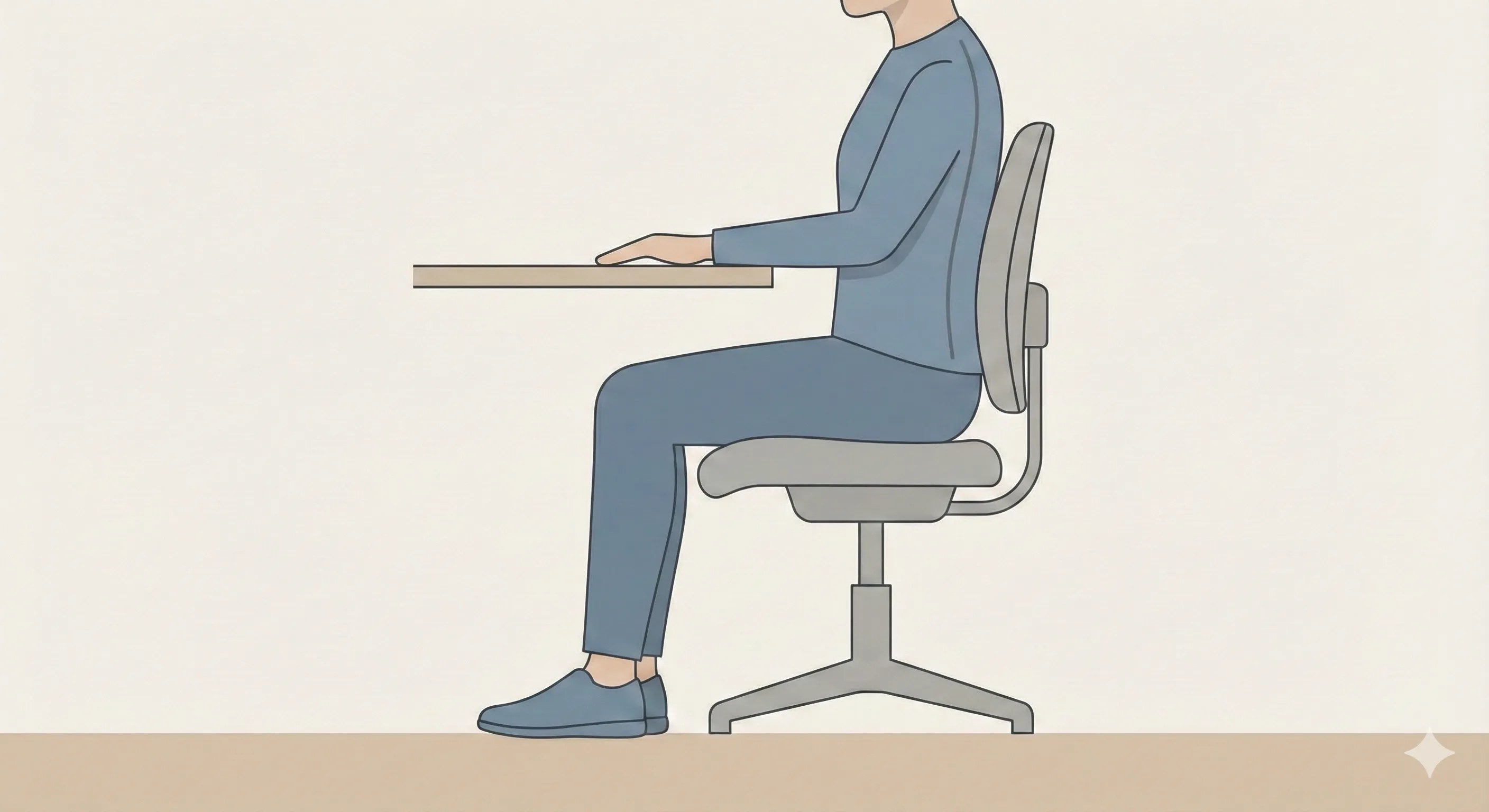
A well-set chair height generally supports:
- Feet resting flat on the floor
- Knees roughly level with or slightly below the hips
- Thighs supported by the seat without pressure behind the knees
When these conditions are met, your weight is distributed more evenly and your lower body can remain relaxed during long sitting sessions.
How to set chair height step by step
Setting chair height works best when done deliberately, rather than by guesswork.
Sit fully back in the chair
Start by sitting all the way back so your lower back is supported by the chair. This ensures you’re adjusting height from a stable, neutral position.
Adjust until your feet rest flat on the floor
Raise or lower the chair until both feet rest comfortably on the floor. Your weight should feel evenly supported through your feet, not just your thighs.
Check knee and hip position
Look at where your knees sit relative to your hips. Ideally, your knees should be level with or slightly lower than your hips. If your knees are significantly higher, the chair is likely too low. If they are much lower, the chair may be too high.
Pause and reassess
Sit for a few minutes and notice how your legs and lower back feel. Small adjustments can make a big difference, so don’t hesitate to fine-tune the height slightly.
What to do if chair height and desk height don’t match
In many setups, adjusting chair height reveals a new problem: the desk may now feel too high or too low. When this happens, it’s important to prioritise correctly.
Chair height should not be compromised just to match the desk. Proper foot support and hip position are more important for long-term comfort than aligning perfectly with the desk surface.
If raising the chair makes your feet lose contact with the floor, a footrest can help restore support without lowering the chair. If lowering the chair improves desk alignment but affects leg comfort or back support, it’s usually better to return the chair to a comfortable height and adjust the desk height instead.
The goal is to minimise trade-offs, not eliminate them entirely.
Common chair height mistakes
Many people unknowingly sit with their chair set too high. In this position, feet may touch the floor but fail to support body weight fully, leading to pressure behind the thighs and discomfort over time.
Another common mistake is sitting too low, which causes the hips to roll backward and encourages slouching. This often increases strain on the lower back and neck, especially during long work sessions.
People also tend to adjust other parts of their setup - leaning forward, tucking their feet under the chair, or perching on the seat edge - instead of addressing chair height directly. These compensations can feel manageable short term but usually lead to discomfort later.
How chair height fits into the rest of your setup
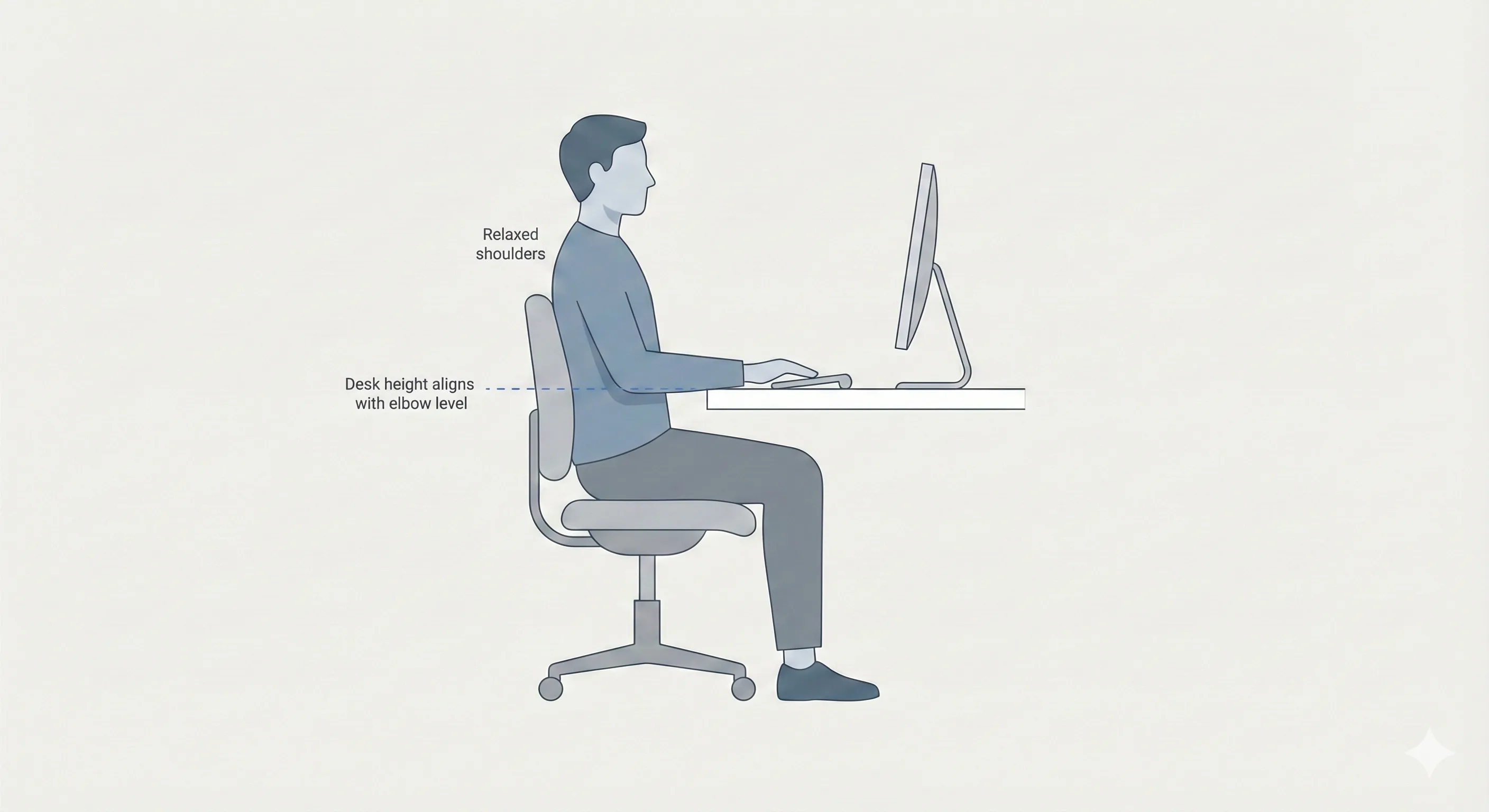
Chair height acts as the foundation for the rest of your workstation. Once it’s set correctly, other adjustments become much easier.
Desk height should be adjusted relative to your seated position, not the other way around. Monitor height and keyboard and mouse placement also depend on where your body sits in relation to the desk.
By starting with chair height, you create a stable reference point that helps the rest of your setup work together more naturally.
Final thoughts
Setting chair height for comfortable sitting is less about precision and more about supporting natural posture. Feet flat on the floor, balanced leg support, and a stable hip position are reliable indicators that your chair height is working for you.
Because your needs can change throughout the day, it’s worth revisiting chair height occasionally rather than treating it as a one-time adjustment. Small changes here can make long periods of sitting feel noticeably easier and more sustainable.