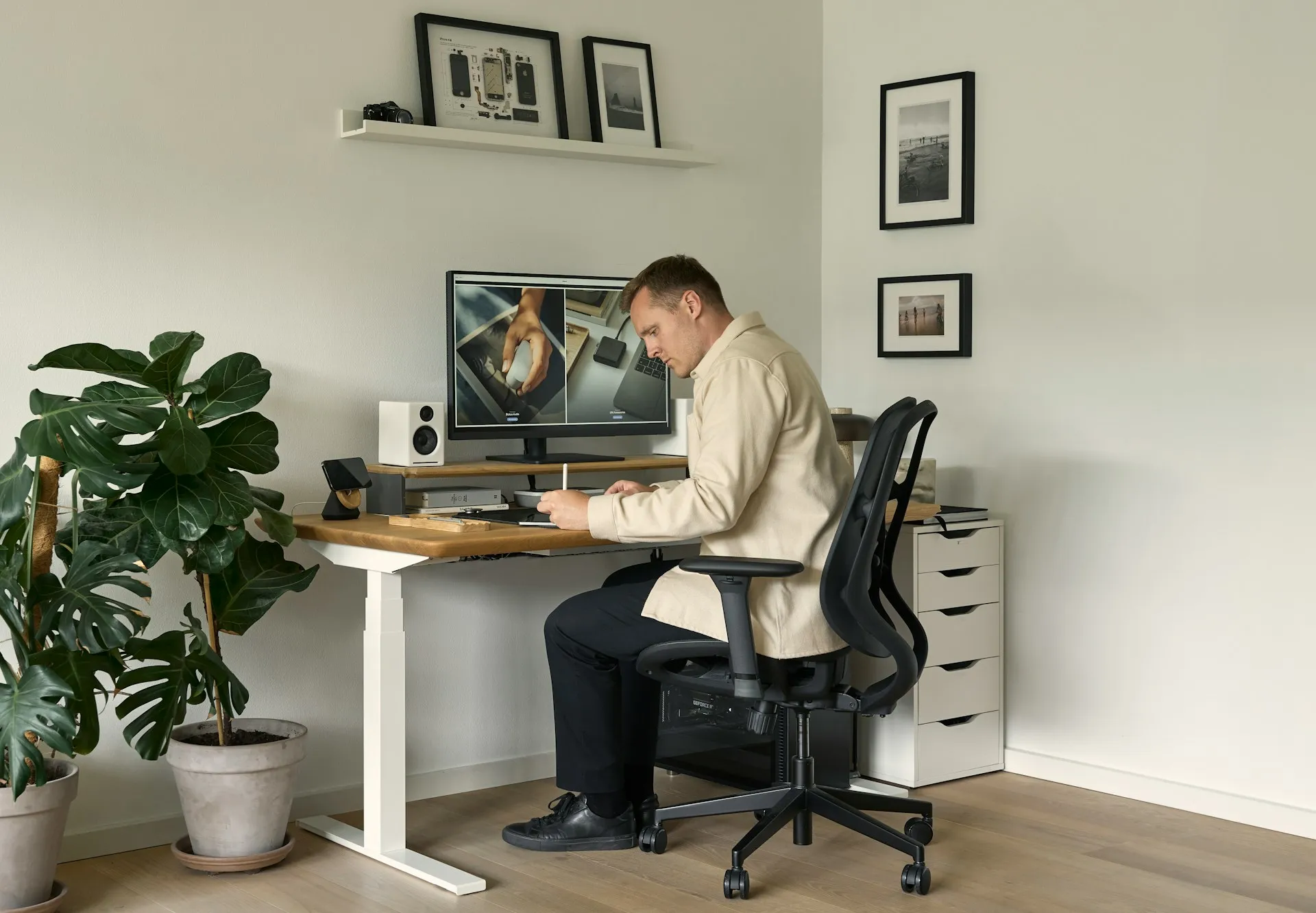
If you spend several hours a day seated at a desk, the chair you use has a bigger impact on your comfort and health than most people realise. Small issues that feel manageable in the first hour can turn into persistent discomfort, fatigue, or back pain by the end of the day. Choosing an ergonomic office chair is less about finding a perfect-looking product and more about understanding how the chair supports your body over time.
This guide explains what actually matters when choosing an ergonomic office chair for long hours of work. It focuses on features, adjustability, and real-world use, rather than brands or price points, so you can make an informed decision that suits your body and work habits.
Why chair choice matters when you sit for long hours
Long periods of sitting place continuous load on your spine, hips, and legs. Unlike short bursts of seated work, extended sitting leaves very little room for error. A chair that feels fine initially may fail to support your posture once fatigue sets in.
An ergonomic chair is designed to reduce strain by supporting your body in a more neutral position and by allowing small movements throughout the day. This matters because discomfort often builds gradually. Poor support can encourage slouching, uneven weight distribution, or unnecessary muscle tension, all of which become more noticeable the longer you remain seated.
Start with adjustability, not appearance
When choosing an office chair for long hours, adjustability should be the first thing you assess. A chair that cannot be adjusted to your body is unlikely to remain comfortable for extended use, no matter how padded or expensive it looks.
Seat height adjustment
Chair height affects how your weight is distributed between your hips, thighs, and feet, and how your arms align with desk height. Ideally, your feet should rest flat on the floor, with your knees roughly level with or slightly below your hips. If the seat is too high, pressure builds behind the thighs. If it is too low, your hips roll backward, which can strain the lower back.
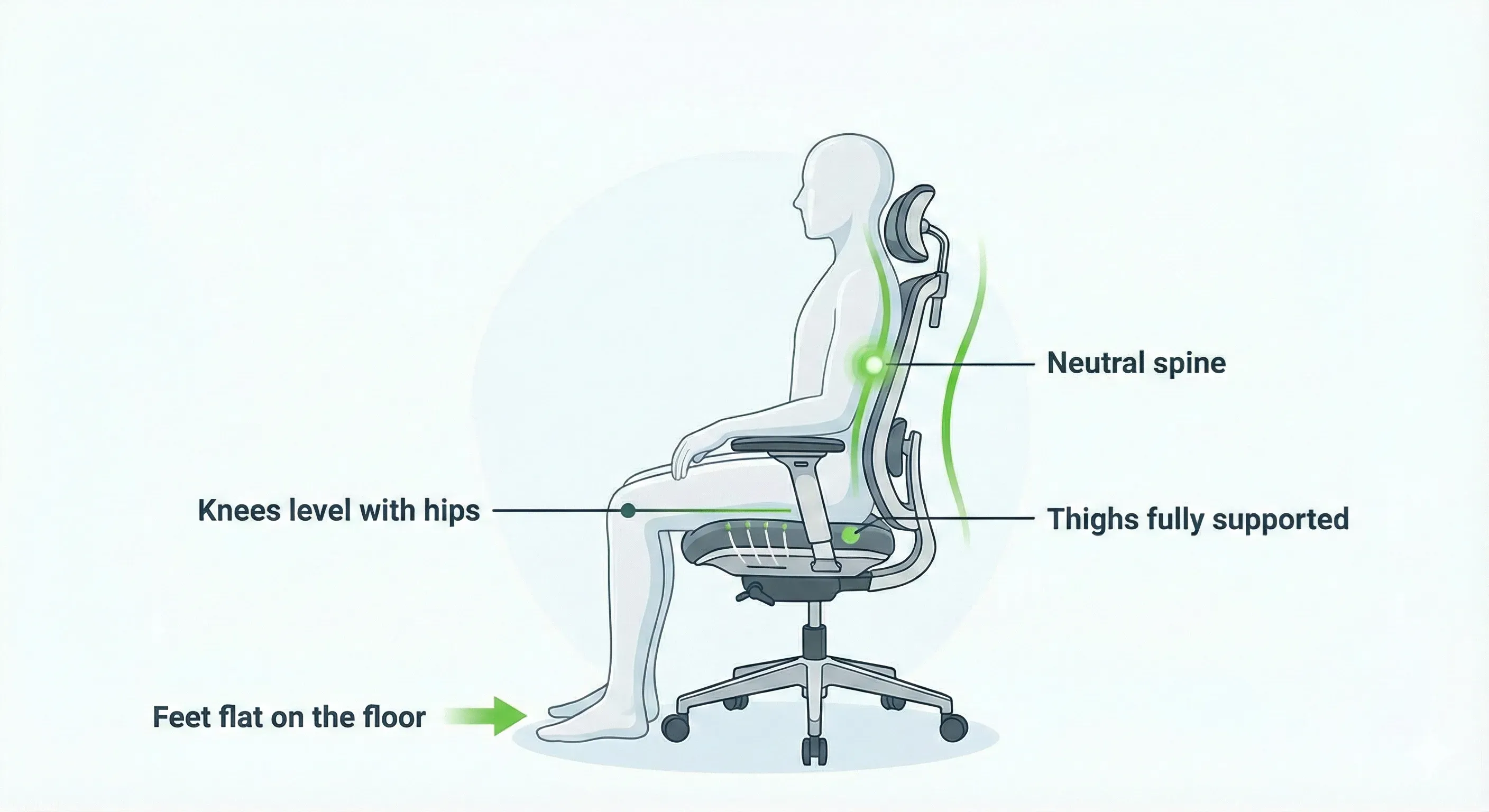
Height adjustment should be easy to reach and smooth to operate. Chairs that require effort or awkward movement to adjust are less likely to be fine-tuned throughout the day, even when adjustments are needed.
Seat depth
Seat depth determines how much of your thighs are supported. Too much depth can press into the backs of your knees, while too little leaves your legs unsupported. A good seat depth allows you to sit back comfortably while maintaining a small gap between the seat edge and your knees.
For long sitting sessions, this balance becomes important for circulation and comfort.
Mobility and positioning: why wheels matter
Wheels may seem like a minor detail, but they play a practical role in everyday comfort. A chair that rolls easily allows you to fine-tune your position without standing up or twisting your body awkwardly. This makes small adjustments more likely to happen naturally throughout the day.
Being able to move closer to or further from the desk, adjust your angle slightly, or reach nearby items without strain reduces unnecessary tension. Chairs that resist movement often discourage these micro-adjustments, which can lead to stiffness over time.
Back support: lumbar before everything else
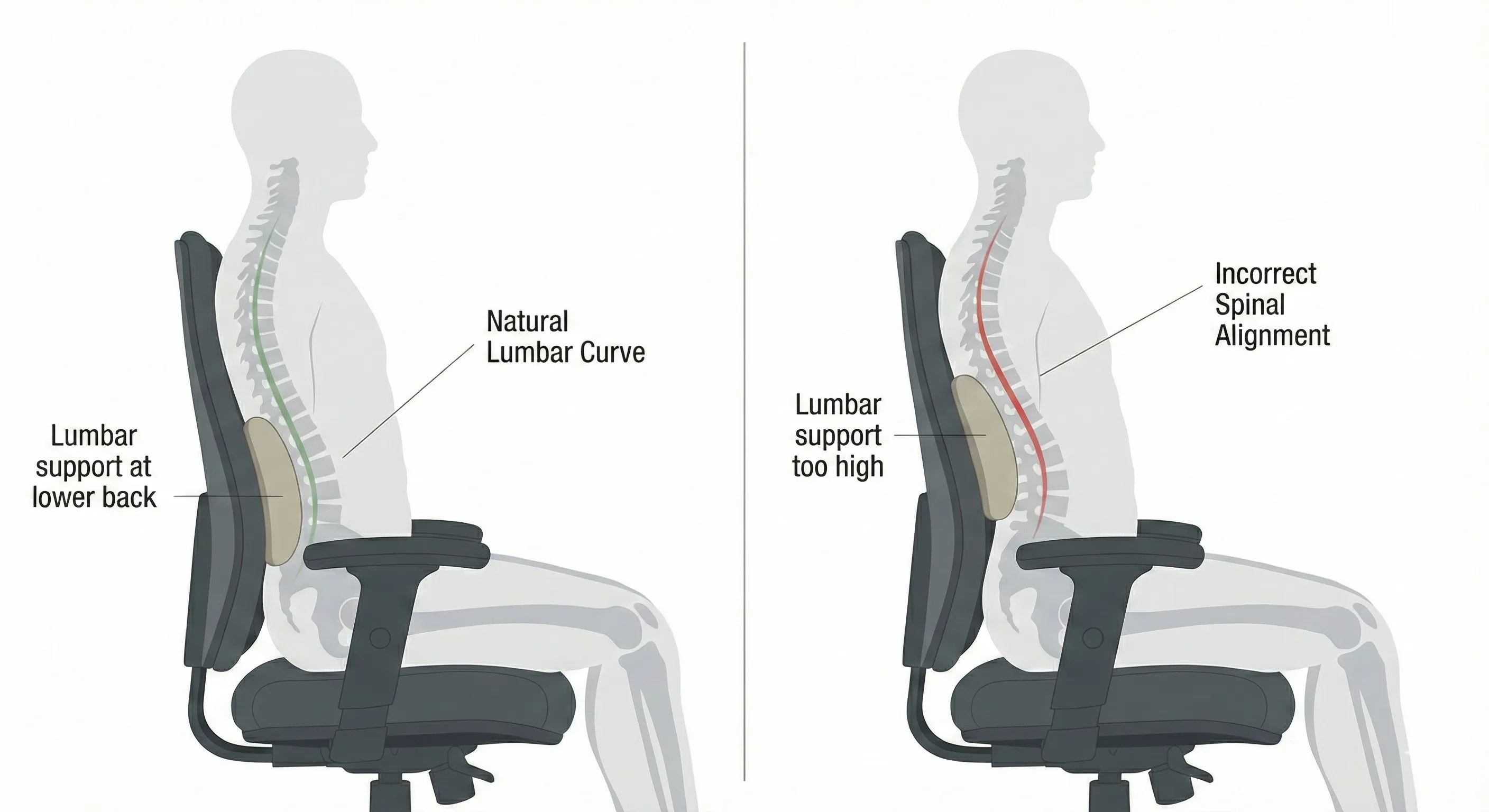
Lower back support is one of the most important elements of an ergonomic chair. The natural curve of the lower spine needs consistent support, especially during long periods of sitting.
A chair with poor lumbar support allows the lower back to flatten or overextend, both of which increase fatigue and discomfort. Over time, this can contribute to chronic pain or tension.
Adjustable versus fixed lumbar support
Fixed lumbar supports are designed for an average body shape, which rarely fits everyone. Adjustable lumbar support allows you to position the support where your spine actually curves, rather than forcing your body to adapt to the chair.
When evaluating lumbar support, focus on how it feels after sitting for a while, not just when you first sit down. Effective support should feel present without being intrusive.
Armrests: helpful or harmful?
Armrests can either reduce upper body strain or introduce new problems, depending on how they are designed and adjusted.
Properly positioned armrests support your forearms without lifting your shoulders or forcing your elbows outward. This helps reduce tension in the neck and shoulders, particularly during typing or mouse use and keyboard and mouse positioning, and when setting monitor height.
Poorly adjusted armrests, on the other hand, can prevent you from sitting close enough to the desk or encourage awkward shoulder positions. In some cases, lowering or even temporarily removing armrests leads to better posture and comfort.
Chair movement and micro-adjustments throughout the day
No chair, no matter how ergonomic, is meant to lock you into one position all day. Subtle movement helps prevent stiffness and keeps muscles engaged at a low level.
Features such as gentle recline, tilt, or flexible back support can encourage natural shifts in posture. Even small changes in position can reduce fatigue during long sessions.
Common mistakes people make when choosing an office chair
Many discomfort issues come from simple oversights rather than poor-quality chairs. Common mistakes include choosing a chair based purely on appearance, assuming higher cost guarantees better ergonomics, or ignoring adjustability altogether.
Another frequent issue is setting the chair once and never revisiting the adjustments. As your workday changes, or as your body becomes fatigued, the optimal settings can shift slightly.
An ergonomic chair works best when it is treated as an adjustable tool rather than a fixed piece of furniture.
How this guide fits with product overviews
This guide focuses on what to look for in an ergonomic office chair and how different features affect comfort during long hours of sitting. It is intended to help you understand the principles behind good chair design and fit.
Once you are familiar with these principles, product overviews and comparisons can help you evaluate specific chairs more effectively. Applying these criteria makes it easier to judge whether a particular chair is likely to work well for you.
Final thoughts
Choosing an ergonomic office chair for long hours is about matching the chair to your body and work habits rather than chasing a specific brand or style. Adjustability, proper support, and ease of movement matter far more than appearance alone.
A well-chosen chair supports comfort not just when you first sit down, but hours later when fatigue would otherwise set in. Understanding these fundamentals puts you in a strong position to make a choice that supports both productivity and long-term wellbeing.