
When people develop discomfort while working at a desk, the pain often shows up in the wrists or hands first. Because of that, keyboards and mice tend to get blamed immediately. While those devices matter, they are rarely the true starting point.
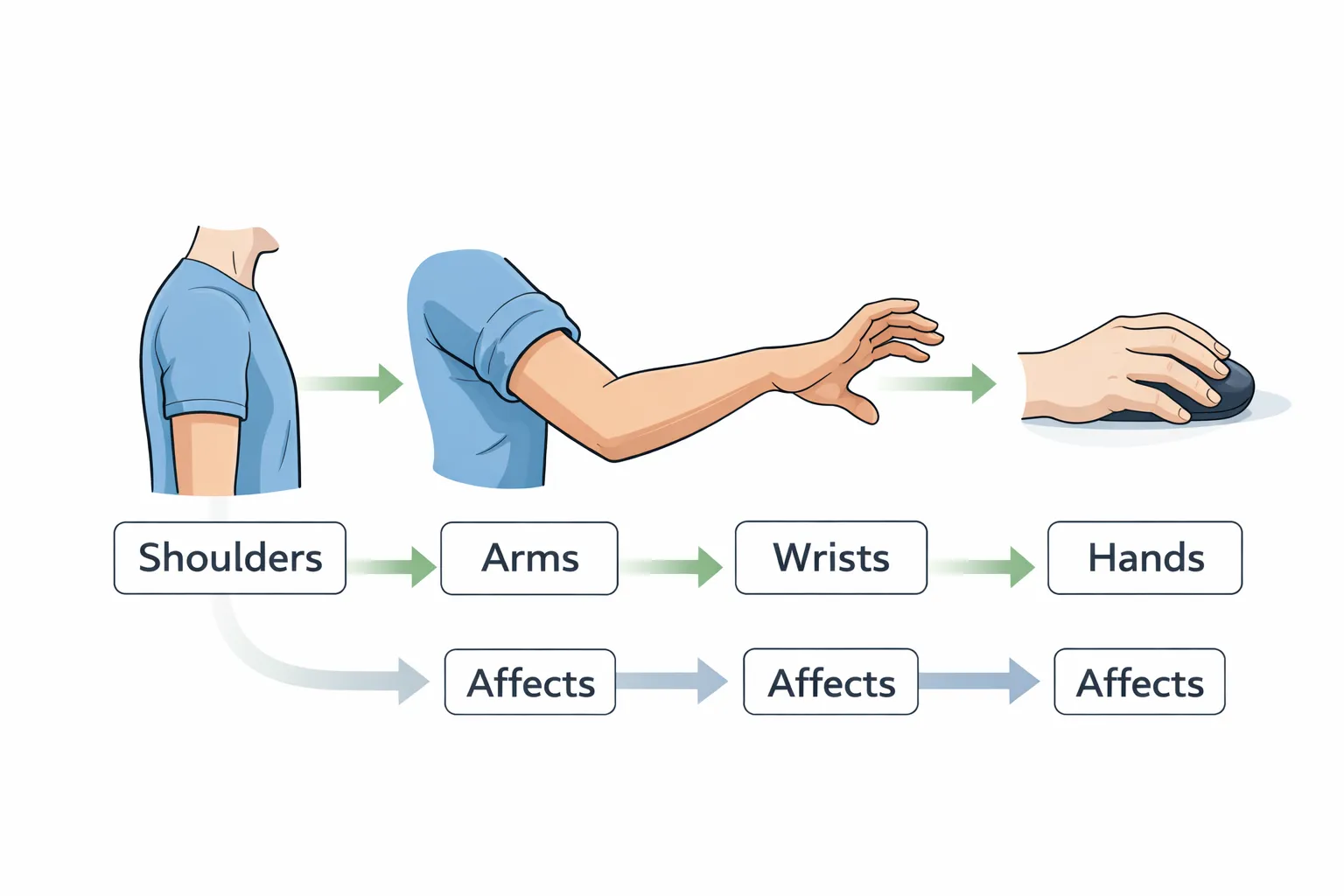
Upper-body discomfort usually develops as a chain reaction. Shoulder position affects arm effort, arm effort affects wrist posture, and wrist posture affects how the hands interact with input devices. When one part of this chain is under strain, the rest compensates quietly until discomfort becomes noticeable.
This overview explains how upper-body ergonomics works as a connected system so you can understand where strain actually starts—and why fixing only the wrists often doesn’t last.
Why upper-body discomfort builds gradually
Upper-body strain rarely appears all at once. It usually develops slowly as muscles work harder than they should for long periods.
This often happens when:
- Shoulders are slightly raised or held forward
- Arms lack support and hover during work
- Wrists are held at the edge of their comfortable range
- Hands repeat the same movements without rest
Because these positions feel manageable at first, they are easy to ignore. Over time, fatigue builds, posture shifts, and tension concentrates in smaller joints such as the wrists and fingers.
The shoulder–arm–wrist chain
Upper-body ergonomics works from the top down.
- Shoulder position sets how relaxed or tense the arms can be
- Arm support determines how much effort the shoulders must provide
- Wrist posture reflects what the arms are forced to do
- Hand comfort depends on all of the above
When shoulders are unsupported or elevated, the arms must work harder just to stay in position. That extra effort often shows up later as wrist discomfort or hand fatigue.
Why wrists get blamed first
Wrists are sensitive and highly mobile, which makes them an early warning point. When something upstream is off, wrists often adapt by bending, extending, or rotating slightly to compensate.
Common patterns include:
- Wrists bending upward because the desk is too high
- Wrists extending forward because input devices are too far away
- One wrist rotating outward because the mouse is too far from the keyboard
These positions are rarely chosen deliberately. They are usually responses to shoulder and arm positioning that feels unavoidable.
Arm support: the missing piece
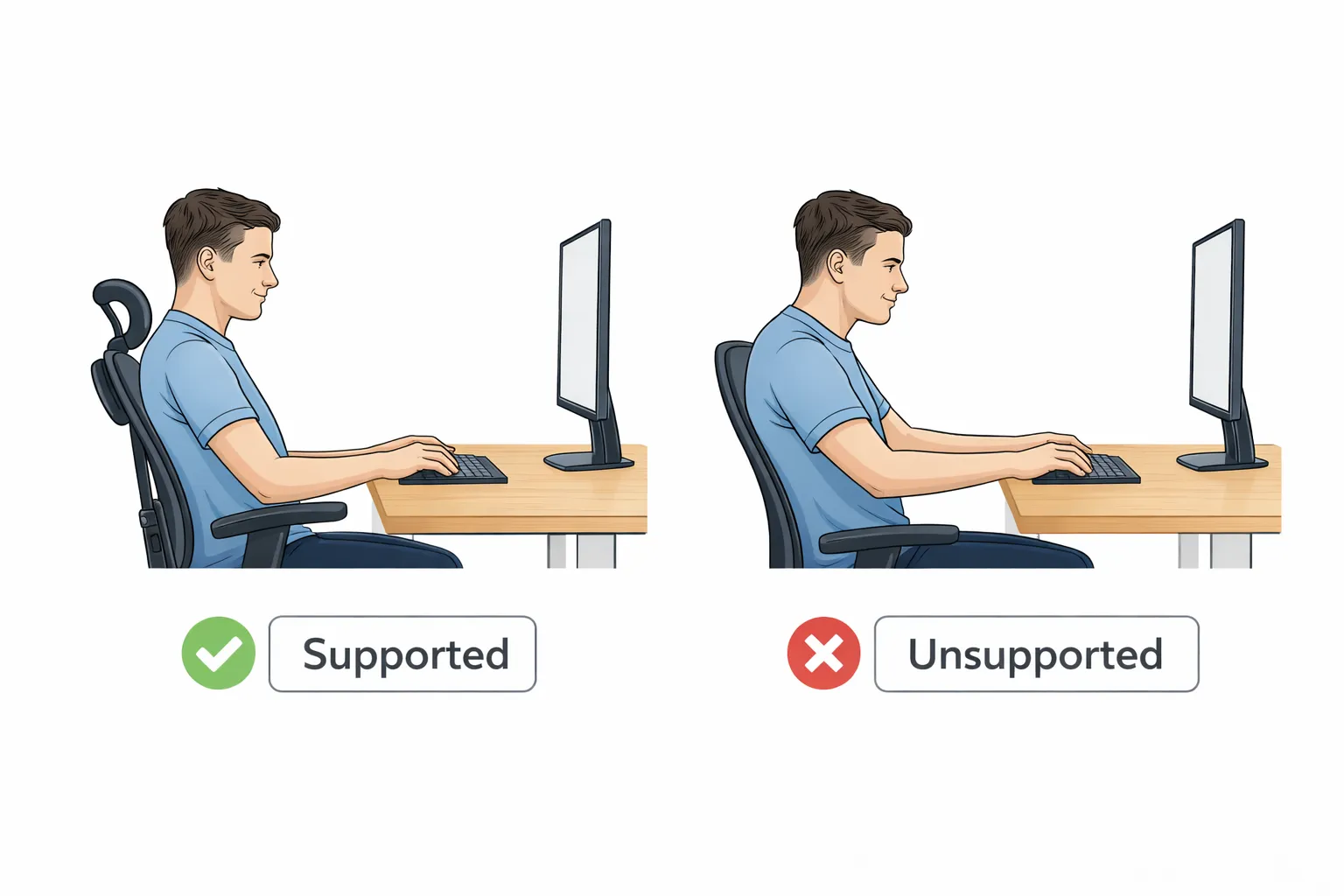
One of the most overlooked aspects of upper-body ergonomics is arm support.
When arms are supported:
- Shoulders can relax
- Muscles do less background work
- Wrists can stay closer to neutral positions
- Small hand movements feel easier and lighter
When arms are unsupported:
- Shoulders stay partially engaged all the time
- Tension builds even during light tasks
- Wrists compensate by changing angles
- Fatigue appears faster
Arm support does not mean locking the arms in place. It means allowing some of the arm’s weight to be carried by the chair, desk, or surface instead of the shoulders alone.
How desk height and input placement influence the upper body
Desk height and device placement strongly influence upper-body comfort.
When the desk is too high:
- Shoulders rise
- Arms lose support
- Wrists bend upward
When the desk is too low:
- Shoulders roll forward
- Upper back rounds
- Hands push down into the surface
Similarly, when keyboards or mice are placed too far forward or too far to the side, the arms reach and the shoulders stay engaged longer than necessary.
Upper-body ergonomics works best when:
- Shoulders can stay relaxed
- Arms rest comfortably near the body
- Wrists move within neutral ranges
- Hands can work without gripping or tension
What to focus on next
If upper-body discomfort keeps returning, it usually means something upstream is still forcing compensation.
Rather than focusing only on the wrists, consider:
- Whether your shoulders can relax while working
- Whether your arms have enough support
- Whether your desk height encourages tension
- Whether your keyboard and mouse are positioned within easy reach
The Guides below show how to apply these ideas step by step: