
Standing desks can reduce long periods of sitting, but they only feel beneficial when the height is set correctly. If the desk is slightly too high or too low, tension can build in the shoulders, wrists, or lower back without you immediately noticing.
This guide explains how to set standing desk height for comfortable standing using body-based cues rather than strict measurements. It assumes your monitor and keyboard can be adjusted as needed and focuses specifically on desk height while standing.
Why standing desk height matters
When standing desk height is off, the body compensates automatically.
If the desk is too high, the shoulders lift slightly to reach the keyboard. Over time, this can create tightness through the upper back and neck.
If the desk is too low, you may lean forward or round your upper back. That shift increases strain through the lower back and can make standing feel tiring faster than it should.
Standing comfortably is not just about being upright. The desk needs to meet your arms at a natural height so your upper body can stay relaxed.
What correct standing desk height actually means
There is no universal number that works for everyone. Arm length, torso length, footwear, and keyboard thickness all influence where the desk should sit.
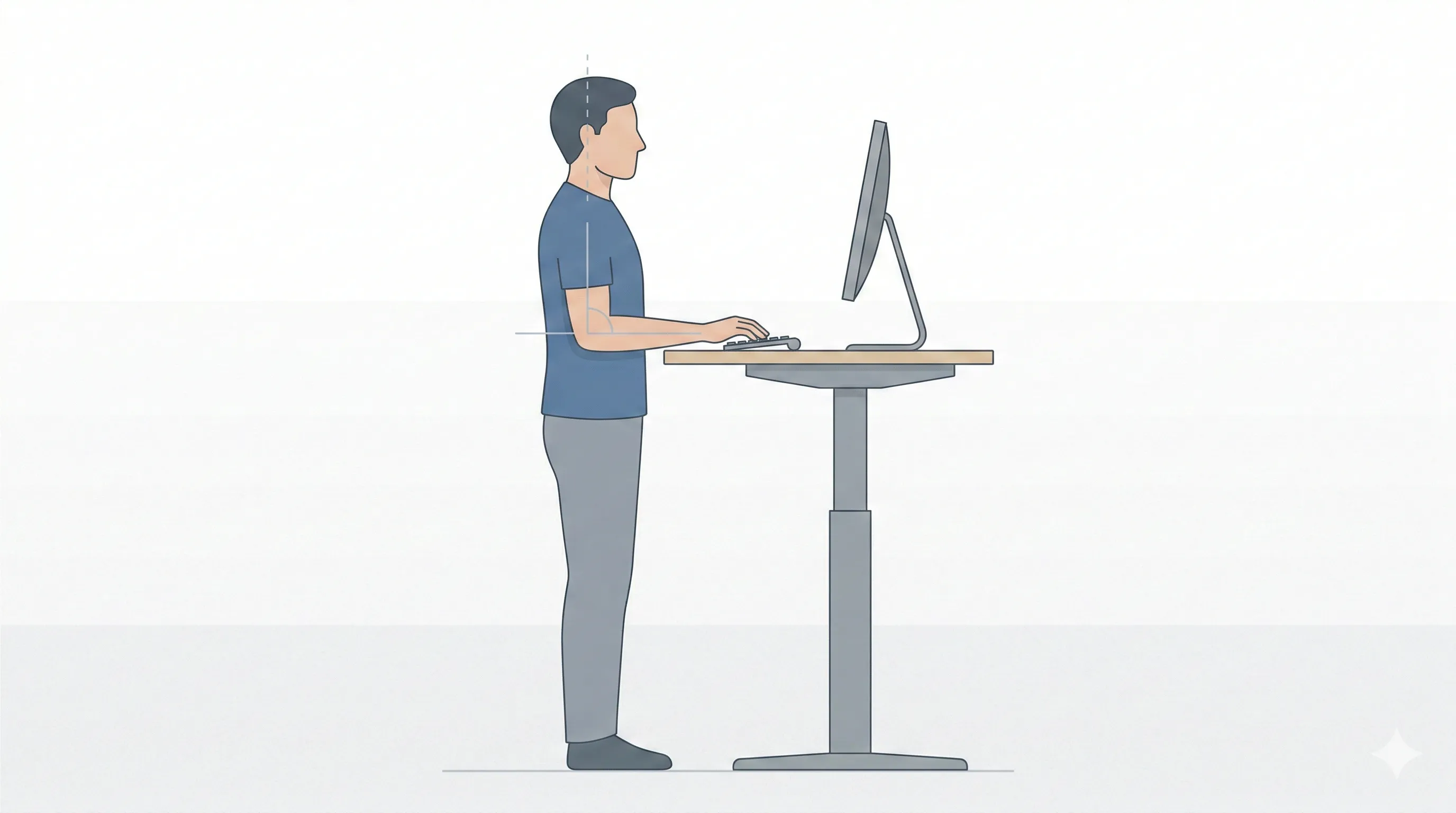
A comfortable standing desk height generally allows:
- Elbows to rest at roughly a right angle
- Forearms to remain parallel to the floor
- Shoulders to stay relaxed rather than lifted
- Wrists to remain neutral rather than bent upward
The simplest way to find this position is to stand naturally with your arms hanging at your sides. Then bend your elbows so your forearms come forward as if you were about to type. That position gives you a starting point for desk height.
If your shoulders feel like they are creeping upward while typing, the desk is likely too high. If you feel yourself dipping down toward the keyboard, it is likely too low.
How to set standing desk height step by step
Start with natural standing posture
Stand upright without locking your knees. Let your weight distribute evenly across both feet.
Set elbow height first
Bend your elbows so your forearms are parallel to the floor. Raise or lower the desk until the keyboard meets your hands at that height.
Check shoulder tension
Type for a few minutes and notice your shoulders. They should feel relaxed, not elevated.
Check wrist position
Your wrists should feel straight rather than angled upward. If your wrists bend upward while typing, the desk may be slightly too high.
Make small adjustments
Standing height often needs fine-tuning. Small changes can make a noticeable difference.
When the desk itself limits proper height
Sometimes discomfort is not caused by posture awareness but by desk limitations.
If your desk cannot adjust smoothly to elbow height, you may find yourself choosing between raising it high enough for your monitor or lowering it enough for your arms.
In these cases, the desk becomes the limiting factor.
A full electric standing desk, like the FitStand model used in our comparison guide, allows the entire workstation to move together and makes fine adjustments easier throughout the day.
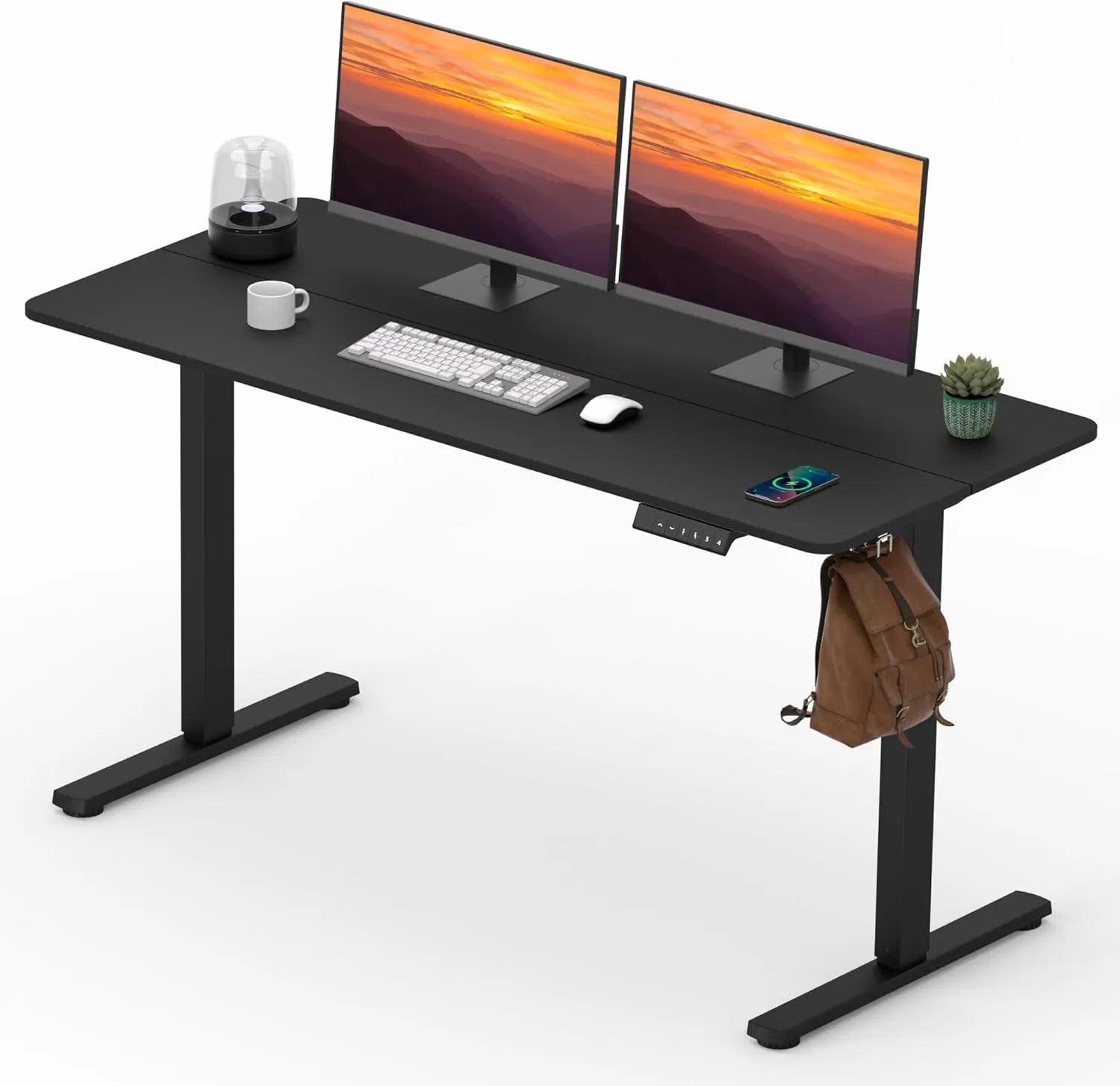
FitStand Adjustable Standing Desk
A full electric standing desk that lets the whole workstation move together, which can make fine height adjustments easier throughout the day.
 Available at Amazon
 A stable desk converter, such as the FITUEYES Height Adjustable Desk Converter (32”), can also work well if you are adding standing capability to an existing desk.
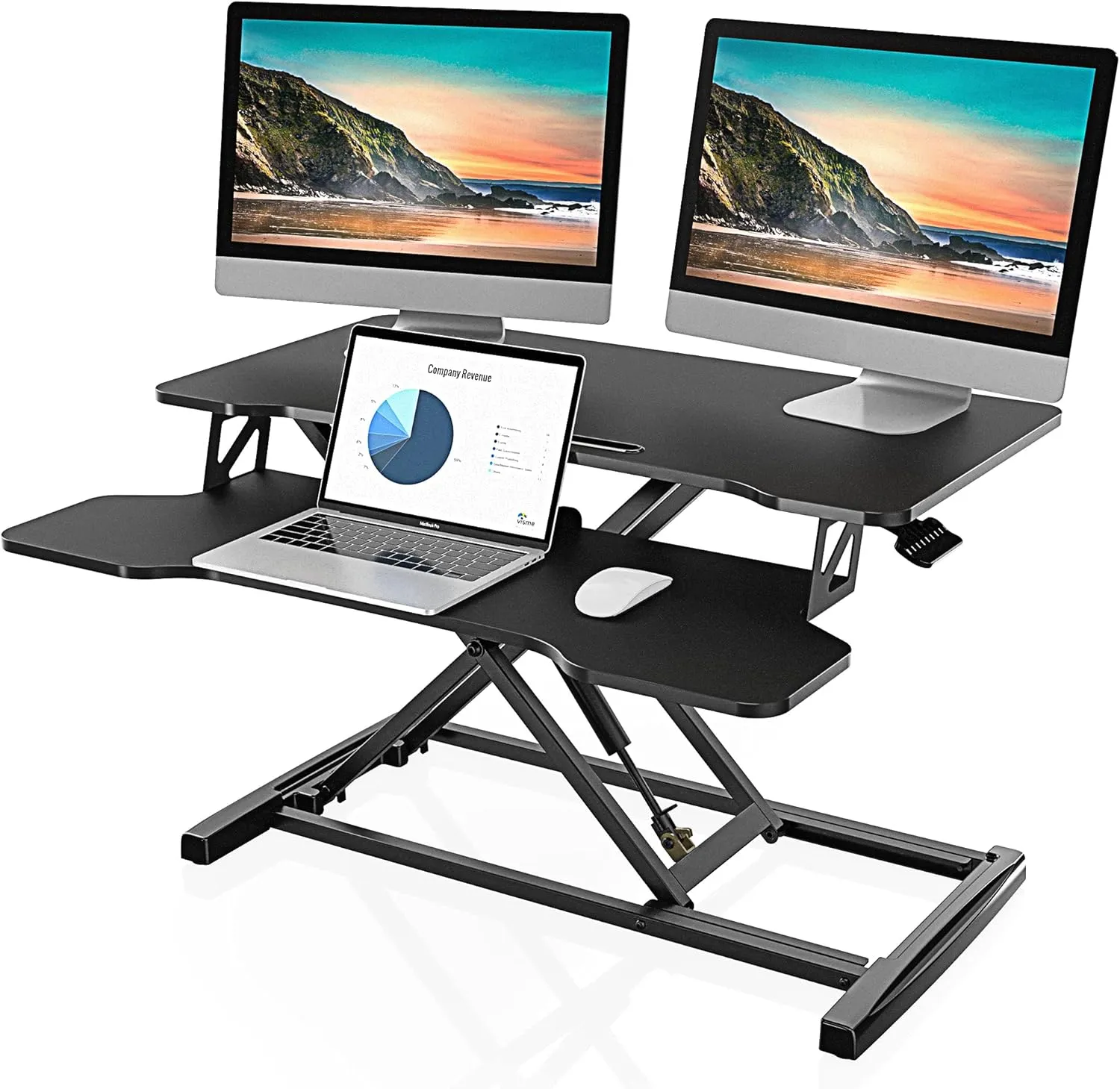
FITUEYES Height Adjustable Desk Converter (32")
A desk converter that adds standing capability to an existing desk while giving you a more flexible work-surface height.
Available at Amazon For a more detailed comparison between full desks and converters, see Best Standing Desk Options (Adjustable Desks vs Desk Converters).
Common standing desk height mistakes
One common mistake is setting the desk slightly too high because standing feels more upright than sitting. This often results in raised shoulders and tension between the shoulder blades.
Another mistake is setting the desk too low to feel grounded. While it may feel stable at first, it often leads to leaning forward and rounding the back.
People also sometimes focus only on desk height and forget to adjust monitor height accordingly.
How standing desk height fits into the rest of your setup
Standing desk height works best when monitor height and keyboard position are also set correctly.
If you have not yet adjusted your seated setup, you may also want to review:
Thinking of desk height as part of a connected system makes adjustments easier and more effective.
Closing note
Setting standing desk height is less about finding a precise number and more about reducing unnecessary tension. Because posture shifts throughout the day, it can help to revisit desk height occasionally rather than treating it as fixed.
Comfort while standing should feel steady and sustainable.