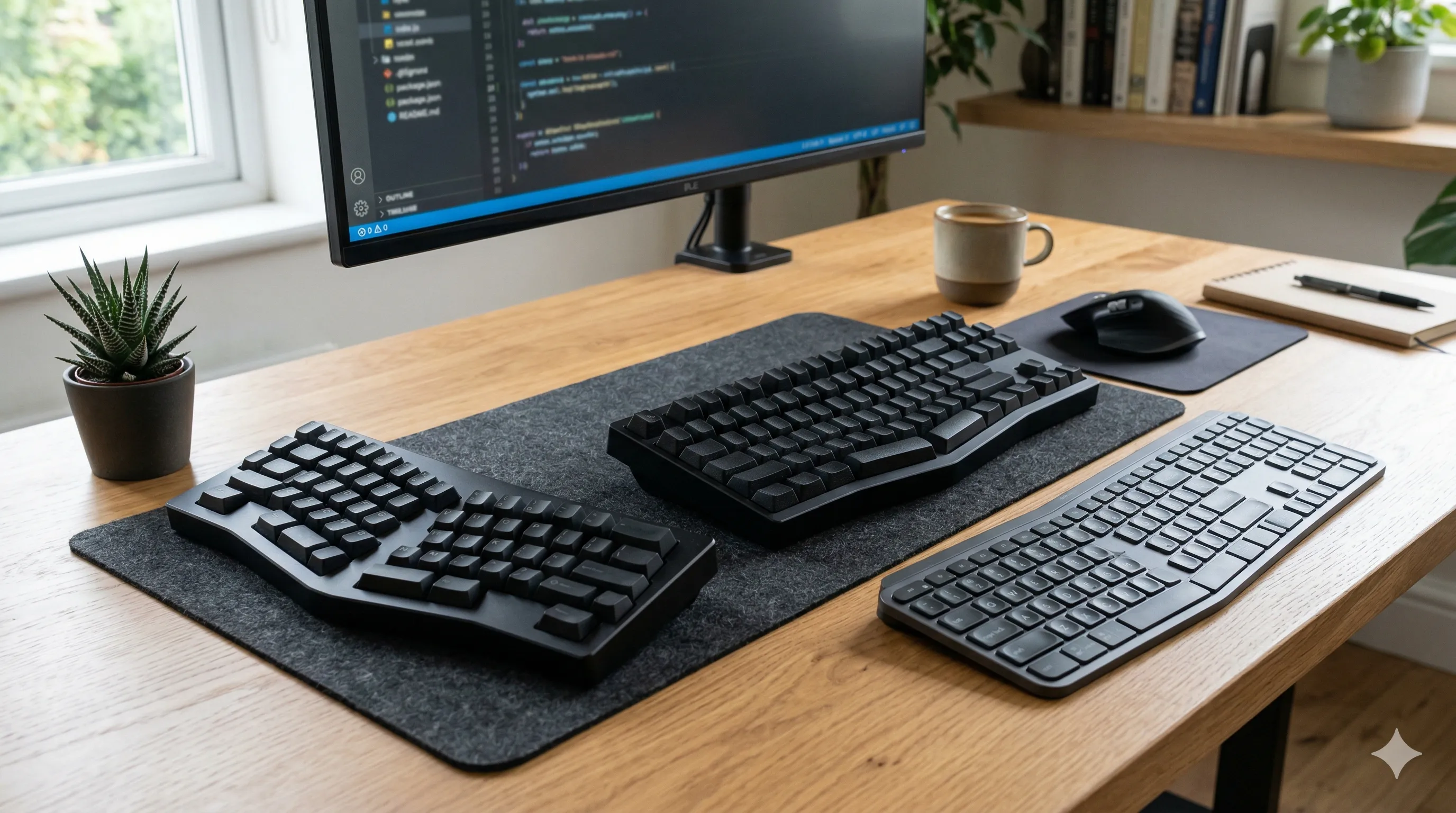
Choosing an ergonomic keyboard is less about finding a perfect design and more about reducing strain during long periods of typing. Different layouts change how your hands, wrists, and shoulders sit while you work, which can either ease tension or add to it over time.
This guide explains the differences between split, compact, and low-profile keyboards using practical, body-based cues. It focuses on how each type affects posture, comfort, and reach so you can choose the one that makes the most sense in your setup.
Why keyboard design matters
Keyboard shape affects more than your typing experience. It also influences how far your arms move away from your body, how your wrists angle on the keys, and how much one shoulder works when you switch to the mouse.
Traditional full-size keyboards often push the mouse farther to the side because of the number pad. They can also encourage the hands to angle outward, especially if the desk is high or the keyboard sits too far forward. Over time, these small demands can build into wrist tension, shoulder fatigue, or a general feeling that typing takes more effort than it should.
Changing keyboard layout will not solve every ergonomic issue by itself, but it can remove one of the more common sources of upper-body strain. That becomes easier to notice when your keyboard and mouse position is already reasonably well set.
What “ergonomic” really means for keyboards
There is no single keyboard style that works for everyone. In practice, an ergonomic keyboard is one that makes it easier to keep your upper body relaxed while typing.
A more supportive keyboard generally allows:
- Wrists to stay relatively neutral rather than bent up, down, or sideways
- Forearms to rest in a position that feels natural, not forced inward
- Shoulders to stay relaxed instead of reaching or rotating more than necessary
If a keyboard helps you type with less reaching, less wrist bending, and less shoulder tension, it is doing something useful ergonomically, even if it does not look especially unusual.
Split keyboards
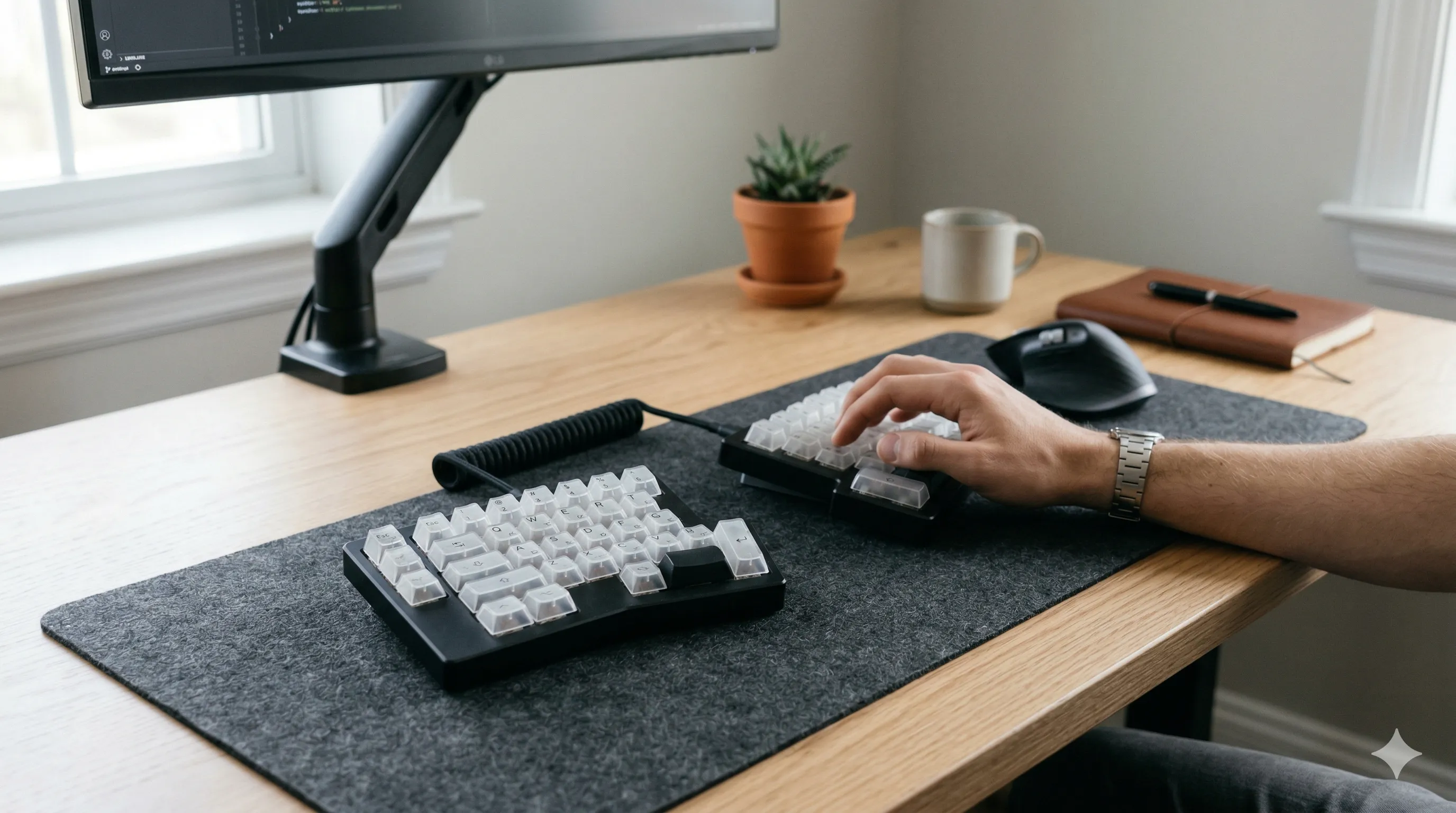
Split keyboards separate the left and right halves so you can place each side where your hands naturally want to rest. That changes arm position more than the other keyboard types in this guide.
This can help:
- Keep your hands closer to shoulder width
- Reduce outward wrist angling while typing
- Let your upper arms rest in a less crowded position
Split keyboards are often most helpful if your shoulders feel tight during long typing sessions, if your wrists flare outward on a standard keyboard, or if you already know that narrow typing positions make your upper back feel tense.
If you’re looking for a straightforward entry point into split keyboards, the Kinesis Freestyle2 ergonomic keyboard is a commonly used option that lets you adjust the distance between each half.
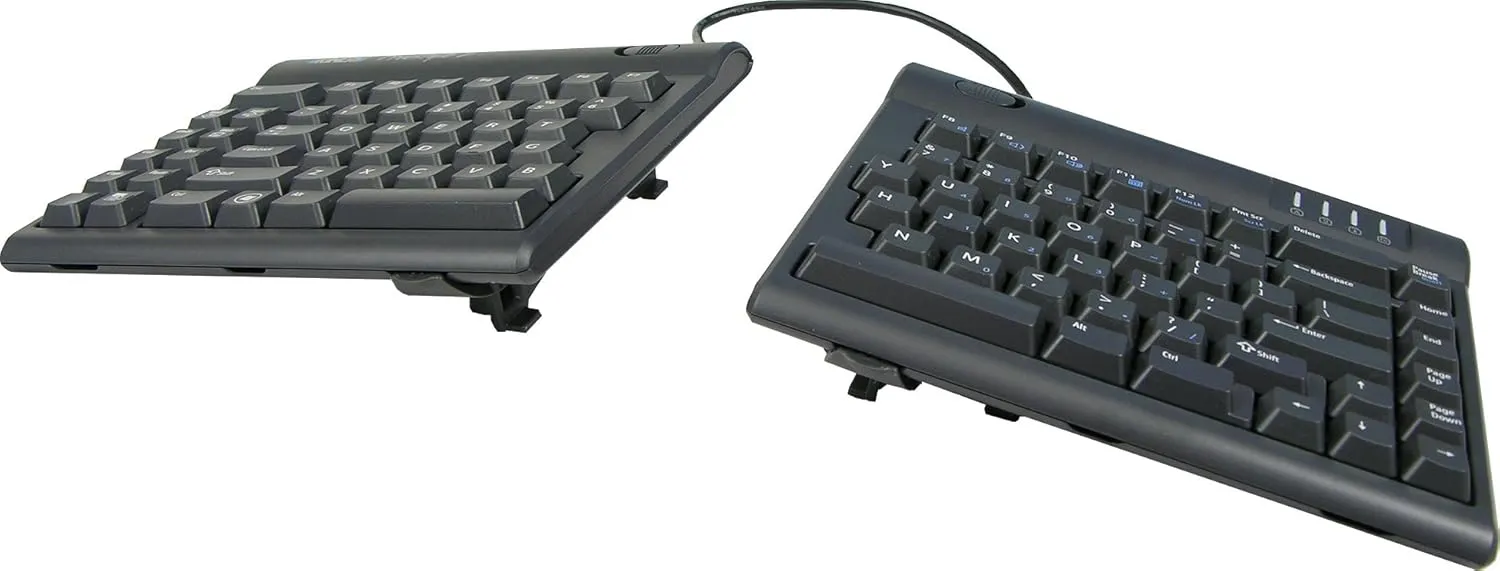
Kinesis Freestyle2 Ergonomic Keyboard
A split keyboard that lets you separate each half, which can help reduce shoulder crowding and encourage a more natural arm position.
 Available at Amazon
 The tradeoff is that split keyboards usually take the most adjustment time. Typing can feel slower at first, and some people need a short relearning period before the new hand position feels natural.
Compact keyboards
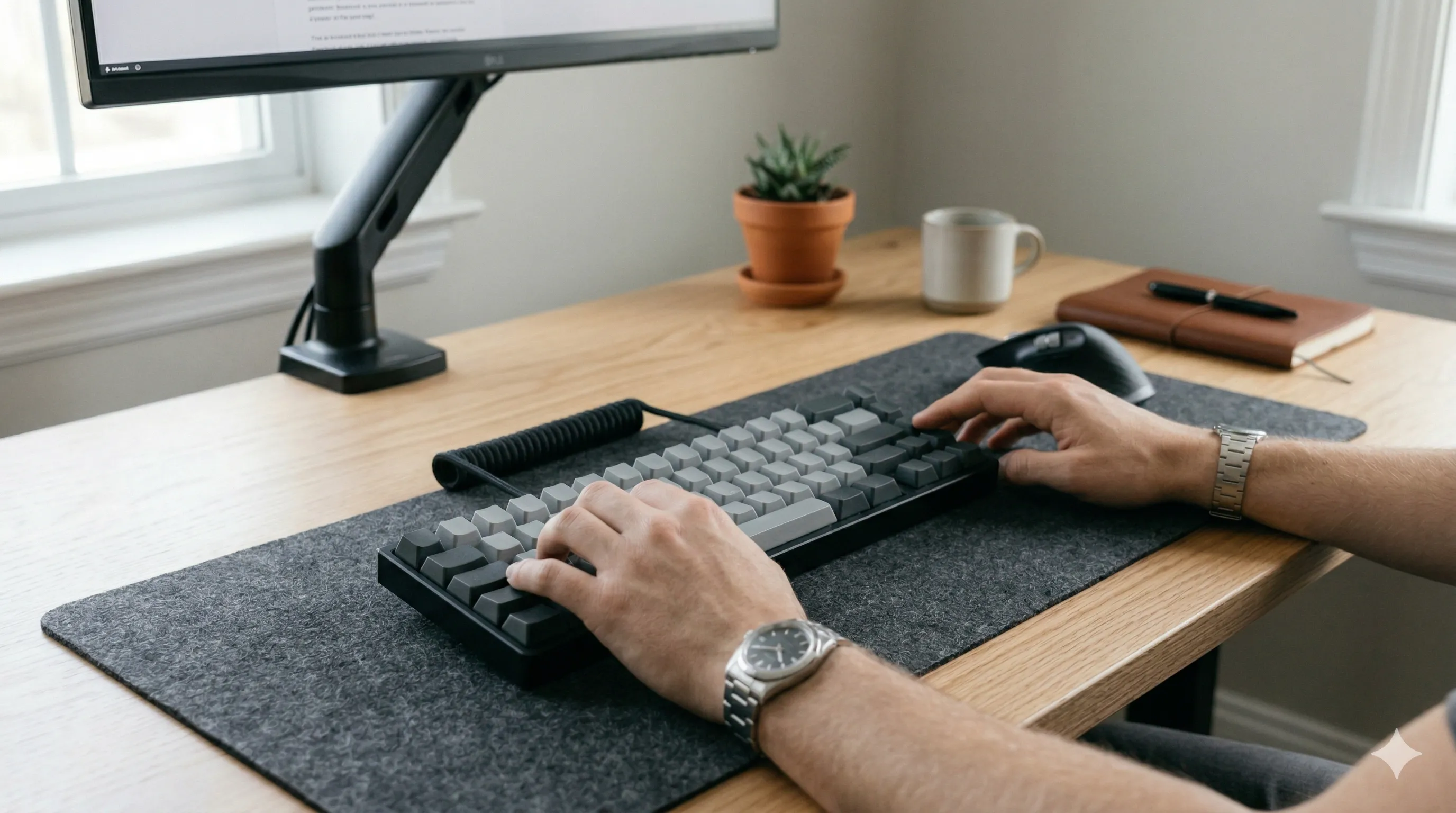
Compact keyboards remove sections such as the number pad, which shortens the keyboard and leaves less distance between the typing area and the mouse.
This can help:
- Reduce how far you reach toward the mouse
- Keep your arms in a more balanced position
- Lower strain on the mouse-side shoulder during long desk sessions
Compact layouts tend to suit people who switch constantly between typing and mouse use, do not rely heavily on a number pad, or notice that one side of the body feels more tired by the end of the day.
A compact option like the Keychron K6 wireless mechanical keyboard reduces how far you need to move toward the mouse, which can make one-handed computer work feel less demanding over time.
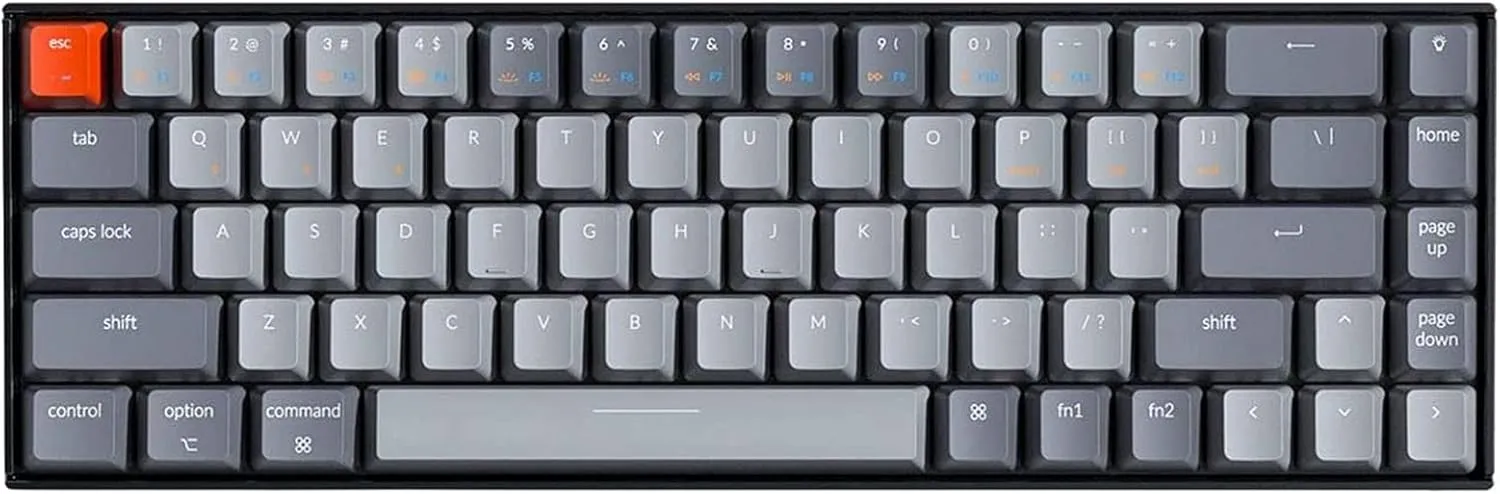
Keychron K6 Wireless Mechanical Keyboard
A compact keyboard that removes extra width, which can bring the mouse closer and reduce one-sided reach during mixed typing and mouse use.
Available at Amazon Compared with split keyboards, compact boards are usually easier to adapt to because they preserve a familiar typing shape. The ergonomic benefit is subtler, but for many setups it is immediately practical.
Low-profile keyboards

Low-profile keyboards sit lower on the desk and usually have shallower keys. They do not change hand spacing much, but they can change how your wrists feel while typing.
This can help:
- Reduce upward wrist bending
- Let your hands rest in a flatter position
- Make typing feel lighter and less effortful for some users
They can be especially useful if your wrists tend to feel elevated on thicker keyboards, if your desk setup makes neutral wrist posture harder to maintain, or if you prefer a lighter touch on the keys.
A low-profile option like the Logitech MX Keys S wireless keyboard can help keep the hands in a more neutral position without adding much height to the desk surface.
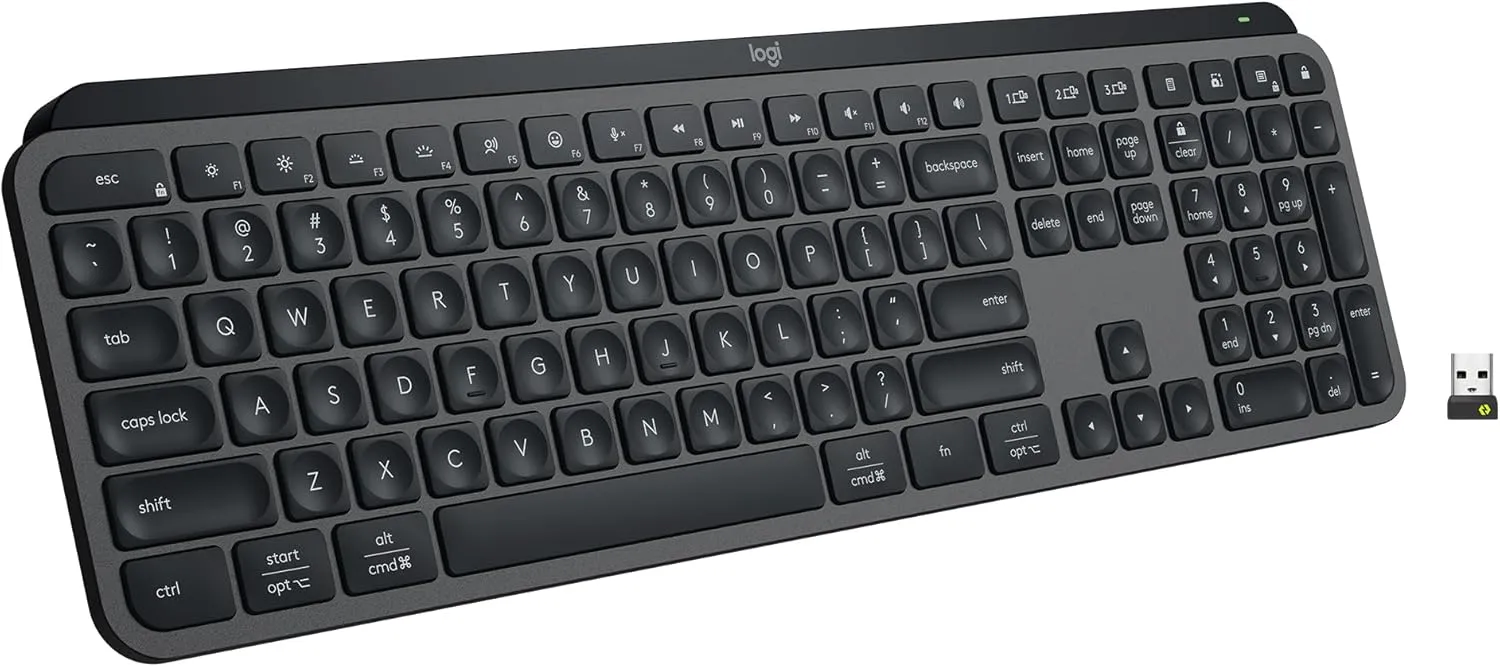
Logitech MX Keys S Wireless Keyboard
A low-profile keyboard that can help keep the hands in a more neutral position when a taller board feels less comfortable.
Available at Amazon Low-profile designs often work well when the main issue is wrist comfort rather than shoulder width or mouse reach.
Which type should you choose?
The best choice depends on where strain tends to show up first.
If your shoulders or upper back feel tight, a split keyboard may give your arms more room and reduce the feeling that your hands are being pulled inward.
If the shoulder on your mouse side works harder than the other, a compact keyboard often makes the bigger difference because it shortens the gap between keyboard and mouse.
If your wrists feel bent or loaded while typing, a low-profile keyboard may improve comfort more directly than changing the keyboard width.
In practice, features can overlap. Some people do best with a compact low-profile board, while others benefit most from a split layout used alongside better upper-body ergonomics across the rest of the workstation.
Common mistakes when choosing an ergonomic keyboard
One common mistake is focusing only on the keyboard and ignoring the rest of the setup. If desk height, chair position, or mouse placement are working against you, a better keyboard may help less than expected.
Another mistake is switching too quickly and assuming the keyboard is wrong if it feels unfamiliar on the first day. Split layouts in particular can take time to settle in.
It is also easy to expect immediate relief. Ergonomic changes often work by reducing strain gradually, which means the real benefit shows up after longer sessions rather than in the first few minutes.
Finally, typing habits still matter. A new keyboard cannot fully offset heavy typing force, hovering shoulders, or wrists that stay bent throughout the day.
How keyboard choice fits into your setup
Keyboard choice is only one part of sitting comfort. It works together with desk height, chair support, arm position, and how often you move between tasks. If your setup already encourages tension, even a better keyboard will have limited room to help.
That is why it is useful to think of keyboard choice as part of a wider sitting system rather than a standalone fix. Looking at it this way usually makes it easier to tell whether you need a different keyboard, a better placement strategy, or a broader reset of your sitting ergonomics.
Final thoughts
Choosing an ergonomic keyboard is really about choosing the kind of strain you want to reduce. Split keyboards change arm spacing, compact keyboards reduce reach, and low-profile keyboards lower the typing surface.
The best option is the one that helps your body feel quieter while you work. When a keyboard supports relaxed wrists, easier reaching, and less shoulder effort, long periods of typing usually feel more sustainable.